

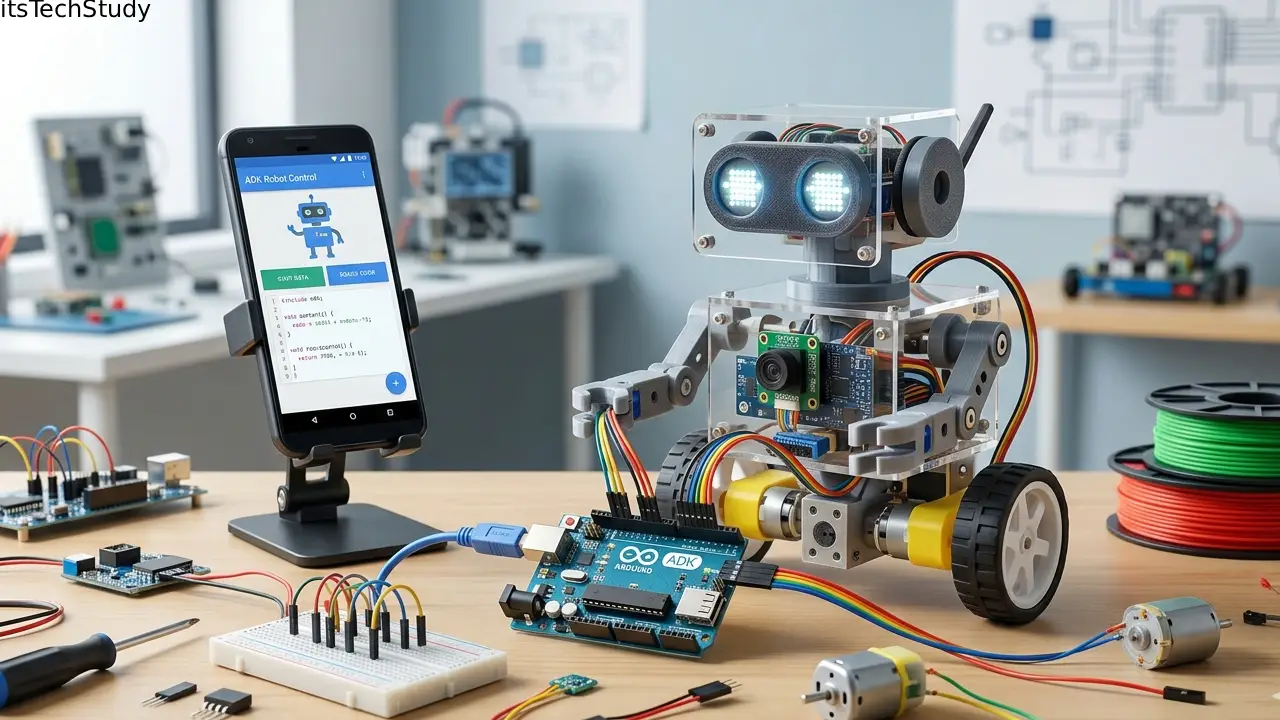
Introduction: Why AI Robots Are Moving Beyond Chatbots
Not long ago, most “AI assistants” were little more than fancy chat windows. They could answer questions, generate text, and maybe summarize a document – but they couldn’t truly act. They didn’t remember context well, couldn’t easily connect to tools, and definitely weren’t ready to behave like a real autonomous AI robot that can reason, decide, and execute tasks.
That’s changing fast.
The rise of AI agents, autonomous workflows, and tool-using LLM systems has pushed modern development beyond basic prompts and into a new era of programmable intelligence. Developers no longer want AI that simply talks. They want AI that can plan tasks, call APIs, retrieve data, use memory, collaborate with other agents, and perform real-world actions.
This is exactly where Google ADK (Agent Development Kit) becomes exciting.
Google’s Agent Development Kit (ADK) is an open-source, code-first framework designed to help developers build robust AI agents and multi-agent systems. It supports modular design, tool integration, memory, session handling, human-in-the-loop approvals, and scalable orchestration – all of which make it a strong foundation for building what many people call an AI robot. Google has positioned ADK as a flexible framework for production-ready agentic applications, with support expanding across Python, Java, Go, and TypeScript, and recent updates highlighting tools, memory services, and agent-to-agent collaboration.
In this guide, I’ll show you how to build an AI robot with Google ADK in a practical, beginner-friendly way. We’ll cover the architecture, setup, coding approach, best practices, pros and cons, and how to turn a simple AI agent into something that feels like a real digital robot.
If you’ve been searching for terms like Google ADK tutorial, build AI agent with Google ADK, Google Gemini agent framework, or how to create an autonomous AI assistant, this article is built for you.
What Is Google ADK?
Google ADK (Agent Development Kit) is Google’s open-source framework for building AI agents using a code-first approach instead of relying only on prompt engineering.
In simple terms, it gives you the building blocks to create an AI system that can:
- Understand user input
- Make decisions
- Use tools (like search, APIs, databases, or custom functions)
- Maintain memory and session state
- Coordinate with other agents
- Ask for confirmation before risky actions
- Scale from local development to cloud deployment
Google has described ADK as a framework for building complex, reliable, production-grade agentic workflows. Recent releases emphasize features like tool ecosystems, memory/session services, human-in-the-loop confirmations, and A2A (Agent-to-Agent) protocol support.
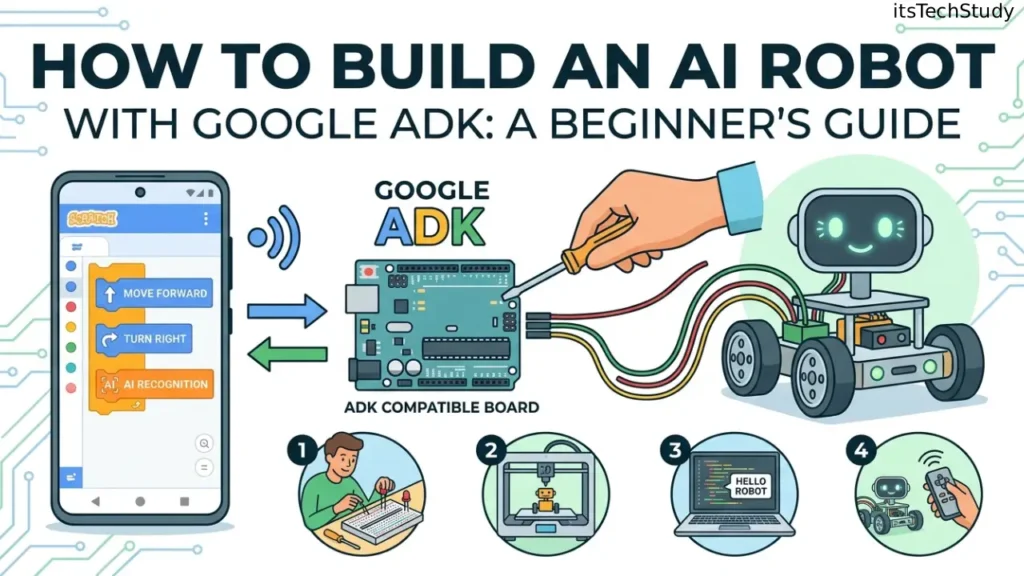
Why It Matters for AI Robot Development
When people say “AI robot” in software, they usually mean one of these:
- A digital AI robot – an autonomous assistant that can think and act
- A virtual task robot – an AI that automates workflows
- A physical robot brain – an AI layer that controls sensors, actions, and decisions
Google ADK is especially strong for the brain layer of an AI robot.
It helps you build the logic that decides:
- What the robot should do
- Which tools it should call
- How it should respond
- What it should remember
- When it should ask a human for approval
What Does “AI Robot” Mean in This Context?
Before we jump into code, let’s define the term clearly.
In this article, an AI robot with Google ADK means:
A software-based intelligent agent that behaves like a robot by observing inputs, reasoning over goals, using tools, and taking actions autonomously or semi-autonomously.
Examples of AI Robots You Can Build with Google ADK
- Customer support AI robot that answers questions and fetches account info
- Research AI robot that searches the web and compiles reports
- DevOps AI robot that checks logs and suggests fixes
- Smart home AI robot that interprets commands and triggers IoT devices
- Personal productivity AI robot that manages tasks, reminders, and schedules
- Physical robot controller that connects to Raspberry Pi, Arduino, or ROS via APIs
Core Architecture of an AI Robot Built with Google ADK
To build a reliable AI robot, you need more than just a model call.
Here’s the practical architecture:
1. LLM Brain
This is usually a Gemini model or another supported model that handles reasoning and language understanding.
2. Agent Layer
This defines:
- Name
- Instructions
- Role
- Behavior
- Output style
3. Tool Layer
Your AI robot becomes useful when it can call tools like:
- Web search
- Database lookup
- Custom Python functions
- REST APIs
- Sensor APIs
- Device controllers
4. Memory Layer
Memory lets the robot:
- Remember previous tasks
- Store preferences
- Continue multi-step workflows
- Recall context later
5. Session Layer
Sessions keep track of current conversations and task state.
6. Human-in-the-Loop Safety
For important actions (like sending emails, deleting files, or controlling devices), the robot should ask for confirmation.
Google ADK’s newer releases specifically highlight session services, memory services, tool confirmations, and event compaction for long-running agent sessions.
Google ADK Features That Make It Ideal for AI Robots
Below is a quick comparison of why ADK is a strong fit.
Google ADK for AI Robot Development: Key Features
| Feature | What It Does | Why It Matters for AI Robots |
|---|---|---|
| Code-First Architecture | Build logic directly in code | More control than prompt-only systems |
| Tool Integration | Connect APIs, search, functions, and external systems | Lets the robot take real actions |
| Memory Services | Persist context across tasks | Enables long-term intelligence |
| Session Management | Track ongoing interactions | Essential for multi-step workflows |
| Human-in-the-Loop | Confirm sensitive actions | Improves safety and trust |
| Multi-Agent Support | Combine specialized agents | Useful for complex AI robots |
| A2A Protocol | Agent-to-agent interoperability | Enables collaborative AI systems |
| Cloud-Friendly Design | Deploy locally or in cloud environments | Easier production scaling |
Google’s official announcements around ADK repeatedly stress its modular multi-agent systems, tool ecosystem, and deployment flexibility, making it a strong candidate for production AI automation.
How to Build an AI Robot with Google ADK (Step-by-Step)
Now let’s get into the practical part.
Step 1: Decide What Kind of AI Robot You Want to Build
Don’t start with code first. Start with the use case.
Ask:
- What problem will the robot solve?
- Does it need memory?
- Does it need tools?
- Will it interact with APIs or hardware?
- Does it need approval before actions?
Good Beginner Project Ideas
- AI research robot
- AI task manager robot
- AI email assistant robot
- AI helpdesk robot
- AI smart home controller robot
Best starter project: A research + task execution AI robot.
Step 2: Set Up Your Google ADK Environment
Google ADK has expanded beyond Python, but Python is still the easiest path for most beginners.
Typical Setup Checklist
- Install Python 3.10+
- Create a virtual environment
- Install Google ADK package
- Configure Gemini or Vertex AI credentials
- Create a project folder
- Add environment variables securely
Recommended Project Structure
ai-robot-google-adk/
│
├── main.py
├── agents/
│   ├── robot_agent.py
│   └── tools.py
├── memory/
│   └── memory_store.py
├── config/
│   └── settings.py
├── .env
└── requirements.txt
Important: Package names and exact install commands may evolve as ADK versions change, so always verify the latest setup from Google’s current documentation or GitHub examples before publishing or deploying production code.
Step 3: Create Your First AI Robot Agent
Your AI robot starts with a single agent.
Example Concept
A robot that:
- Accepts a user goal
- Searches for information
- Summarizes findings
- Suggests next actions
- Optionally triggers a tool
Conceptual Python Example
from google.adk.agents import Agentrobot = Agent(
    name="TaskRobot",
    model="gemini-2.5-flash",
    instruction="""
    You are an AI robot assistant.
    Your job is to understand user goals, break them into steps,
    use tools when needed, and respond clearly with action-oriented outputs.
    """
)
This code style reflects the general ADK pattern Google has shown publicly: defining an agent with a name, model, and instruction in a modular way. Google’s TypeScript examples also demonstrate a similarly concise agent declaration model.
Step 4: Give Your AI Robot Real Tools
Without tools, your robot is just a chatbot.
With tools, it becomes a true AI assistant.
Useful Tools to Add
- Web search
- Weather API
- Calendar API
- Task database
- Email sender
- IoT command endpoint
- Sensor reader
- File parser
- Code executor
Google has been expanding ADK’s tool ecosystem, including integrations and built-in capabilities for real-world interactions. Recent announcements mention new tools like Google Maps grounding, URL context tools, and a broader integrations ecosystem.
Simple Custom Tool Example
def get_weather(city: str) -> str:
    # Example placeholder logic
    return f"The current weather in {city} is sunny, 29°C."robot.tools = [get_weather]
Why This Matters
Your robot can now:
- Interpret a user request
- Decide a tool is needed
- Call that tool
- Use the result in its response
That’s the difference between generative AI and agentic AI.
Step 5: Add Memory So Your AI Robot Feels Intelligent
Memory is what makes the robot feel “alive.”
Instead of forgetting everything every turn, it can:
- Remember the user’s goals
- Track unfinished tasks
- Reuse previous context
- Build long-term personalization
Google ADK supports session services and memory services, including in-memory options for local testing and persistent services such as Firestore-backed implementations in newer ADK releases.
Memory Use Cases
- “Continue the report from yesterday”
- “Use the same writing tone as before”
- “Remember my preferred output format”
- “Check the last device status before rebooting”
Step 6: Add Human Approval for Sensitive Actions
This is one of the most overlooked steps in AI robot development.
If your AI robot can:
- Delete data
- Send messages
- Control devices
- Execute scripts
- Trigger purchases
…it should not do so blindly.
Google ADK explicitly supports Human-in-the-Loop (HITL) via ToolConfirmation workflows, allowing an agent to pause and request approval before executing an action.
Best Practice
Use confirmation for:
- External side effects
- Expensive operations
- Device control
- Security-sensitive actions
This dramatically improves:
- Safety
- Trust
- Auditability
- Production readiness
Step 7: Turn a Single Agent into a Multi-Agent AI Robot
A serious AI robot often works better as multiple specialized agents.
Example Multi-Agent Design
- Planner Agent -> breaks goal into tasks
- Research Agent -> gathers information
- Action Agent -> executes tools
- Memory Agent -> manages recall
- Safety Agent -> checks risky actions
Google ADK is specifically designed for multi-agent systems, and recent releases across languages continue emphasizing specialized agents, orchestration, and inter-agent collaboration.
Why Multi-Agent Wins
- Better specialization
- Easier debugging
- More modular code
- More scalable workflows
- Cleaner production design
A Simple Real-World AI Robot Workflow Example
Here’s what a practical AI robot might do:
User Request
“Find the best budget laptop under $700 for coding, compare three options, and email me the summary.”
AI Robot Workflow
- Planner agent interprets the goal
- Research tool gathers product data
- Comparison logic ranks options
- Safety layer asks for email approval
- Action tool sends the final summary
- Memory stores user preference for future hardware requests
That’s a real AI robot workflow, not just a chat response.
Pros and Cons of Building an AI Robot with Google ADK
Pros
- Code-first control for serious developers
- Strong fit for agentic AI workflows
- Supports tool use, memory, and sessions
- Good path toward production-ready AI systems
- Scales from simple bots to multi-agent architecture
- Strong ecosystem alignment with Gemini and Google Cloud
- Human approval patterns improve trust and safety
Cons
- More complex than basic chatbot frameworks
- Requires understanding of orchestration design
- Newer ecosystem means APIs and patterns may evolve
- Production safety still depends heavily on developer implementation
- Beginners may need time to learn tool design and memory strategy
Best Practices for Building a Reliable AI Robot with Google ADK
1. Keep Agents Small and Focused
One agent = one responsibility.
2. Don’t Give Full Tool Access Too Early
Start with safe read-only tools before enabling write actions.
3. Use Memory Selectively
Too much memory can confuse the model and increase cost.
4. Add Logging and Tracing
Track:
- Tool calls
- Failures
- Decisions
- Latency
- Token usage
5. Use Confirmation Gates
Especially for:
- Device control
- External APIs
- Financial or irreversible actions
6. Test Edge Cases
Your AI robot should handle:
- Missing inputs
- API failures
- Ambiguous instructions
- Hallucinated assumptions
- Unsafe requests
Conclusion: Google ADK Makes AI Robot Development More Practical Than Ever
If you’ve been wondering how to build an AI robot with Google ADK, the biggest takeaway is this:
You’re not just building a chatbot. You’re building a programmable decision-making system.
That’s the shift.
With Google ADK, you can combine:
- A powerful LLM like Gemini
- Structured agent logic
- Custom tools and APIs
- Session and memory layers
- Human-in-the-loop safety
- Multi-agent orchestration
…and turn all of it into an AI robot that can actually do things, not just talk about them.
For beginners, the smartest path is to start small:
- Build one focused agent
- Add one or two tools
- Introduce memory
- Add confirmation gates
- Expand into multi-agent workflows
That approach keeps your project manageable while still giving you a modern, scalable architecture.
As AI agents continue moving from demos into real products, Google ADK is becoming one of the most practical frameworks for building the next generation of autonomous AI systems. If you want to future-proof your development skills in AI automation, agentic workflows, and Gemini-based intelligent systems, this is a great place to start.

About the Author
Amelia Morgan is a Editor at itsTechStudy.com with 15+ years of experience in the technology industry. I write about emerging innovations, AI, and digital trends-making complex topics simple and engaging for readers.
FAQ: How to Build an AI Robot with Google ADK
Q1: What is Google ADK used for?
Ans: Google ADK (Agent Development Kit) is used to build AI agents and multi-agent systems in a code-first way. It helps developers create AI applications that can reason, use tools, manage memory, and take real actions instead of just generating text. Google has positioned it as an open-source framework for robust agentic workflows across multiple languages.
Q2: Can I build a real physical robot with Google ADK?
Ans: Yes — but indirectly. Google ADK is best used as the intelligence layer or “brain” of the robot. You would typically connect it to: Raspberry Pi Arduino ROS (Robot Operating System) IoT APIs Camera/sensor services Motor controllers ADK handles the decision-making and orchestration, while hardware controllers handle movement and sensor execution.
Q3: Is Google ADK better than a simple chatbot framework?
Ans: For serious automation, often yes. A simple chatbot framework is easier for basic Q&A. But if you need: Tool use Memory Multi-step planning Multi-agent collaboration Human approval Production workflows ...then Google ADK is much more suitable.
Q4: Which language should I use for Google ADK?
Ans: For most beginners, Python is the easiest starting point. That said, Google has expanded ADK into a multi-language ecosystem, with public announcements covering Python, TypeScript, Java, and Go. Choose based on your stack: Python - fastest prototyping TypeScript - great for full-stack/web teams Java - enterprise environments Go - performance and concurrency-heavy systems
Q5: Do I need Gemini to use Google ADK?
Ans: Not always, but Gemini is the most natural fit. Google ADK is closely aligned with Google’s AI ecosystem, and many examples use Gemini models. If you want the smoothest experience and strongest ecosystem compatibility, Gemini is usually the recommended route.
Q6: Is Google ADK production-ready for AI robot projects?
Ans: Yes, for many use cases — with proper engineering. Google has publicly described Python ADK as stable for production and continues to ship 1.0 releases across other languages. But production readiness still depends on: Error handling Tool safety Logging Testing Permissions Human approval Rate limits Monitoring





No Comments Yet
Be the first to share your thoughts.
Leave a Comment