

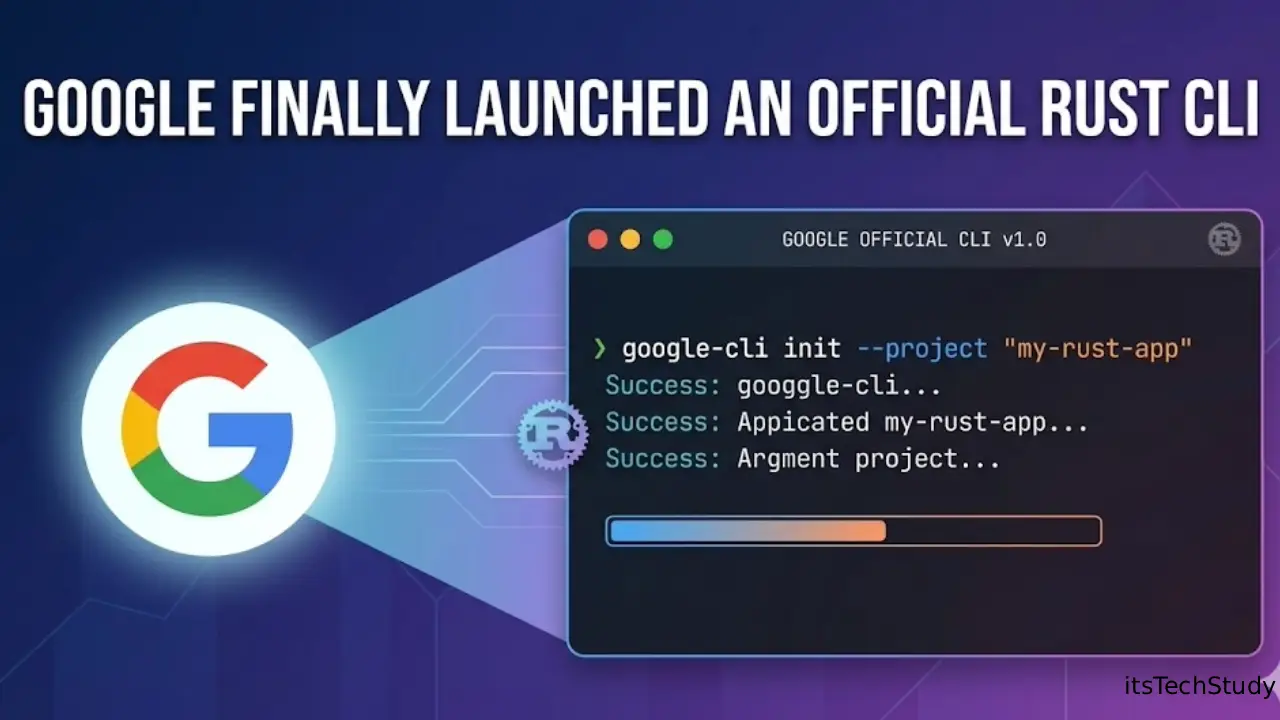
Google Finally Launched an Official Rust CLI
For years, Rust developers have had an awkward relationship with large ecosystems.
Rust itself became incredibly respected for performance and memory safety, but many enterprise-grade workflows still revolved around Python scripts, Bash utilities, or Go-based tooling. If you worked with cloud infrastructure, APIs, automation pipelines, or developer tooling, chances are you eventually hit a point where your “temporary” shell script became a fragile production dependency.
That’s exactly why Google’s official Rust CLI launch matters more than it sounds.
At first glance, it may look like “just another command-line tool.” But in practice, it reflects something much bigger: large-scale infrastructure companies are finally treating Rust as a first-class tooling language instead of an experimental systems language.
And honestly? This shift has been coming for a while.
A few years ago, most teams adopted Rust cautiously. It was usually reserved for performance-critical components or security-sensitive infrastructure. Now we’re seeing something different: companies are building everyday developer tooling in Rust because reliability and maintainability are becoming more important than raw development speed.
When I tried migrating one internal automation script from Python to Rust last year, I noticed something surprising. The speed improvement was nice, but the real benefit was operational confidence. Fewer dependency issues. Fewer random runtime surprises. Better portability across environments.
That’s the kind of problem Google’s Rust CLI is trying to solve.
And for beginners, this launch is a signal worth paying attention to right now.
Why This Launch Matters More Than Most People Think
A lot of articles are focusing on the technical announcement itself. But the bigger story is what this says about the future of developer tooling.
For years, the “standard stack” for CLI tools looked like this:
| Use Case | Common Choice Before | Why Rust Is Replacing It |
|---|---|---|
| Automation scripts | Python | Faster startup, single binary deployment |
| System utilities | Bash | Better reliability and error handling |
| Cloud tooling | Go | Strong memory safety guarantees |
| Cross-platform tools | Node.js | Lower runtime dependency overhead |
The important detail beginners often miss is this:
Modern CLI tools are no longer small helper scripts.
They’re becoming full developer platforms.
That changes everything.
A cloud CLI today may need:
- Parallel execution
- Secure authentication
- Streaming logs
- Plugin systems
- Local caching
- Background processes
- Cross-platform support
- Strong security guarantees
At that scale, shell scripts become painful fast.
Rust solves many of those operational problems naturally.
The Real-World Frustration Google Is Addressing
Let’s talk about something practical.
If you’ve worked with large cloud CLIs before, you’ve probably seen issues like:
- Slow startup times
- Python dependency conflicts
- Huge install sizes
- Random OS compatibility problems
- Broken package managers
- Authentication caching bugs
One mistake I made early in DevOps work was assuming CLI instability was “normal.”
It isn’t.
A bad CLI quietly destroys developer productivity.
I once worked on a deployment workflow where the setup documentation was longer than the actual deployment process. Most of the complexity came from dependency mismatches and local environment issues.
That’s where Rust-based tooling becomes attractive.
Rust binaries are typically:
- Self-contained
- Predictable
- Extremely fast
- Easier to distribute
- Less dependent on system configuration
That operational simplicity matters enormously at enterprise scale.
What Is Google’s Official Rust CLI?
Google’s official Rust CLI is essentially a modern command-line tooling initiative built using Rust, designed to improve reliability, performance, and developer experience across Google-related workflows and infrastructure tooling.
While Google has used Rust internally for years, this public-facing CLI effort shows a stronger commitment to Rust in mainstream developer tooling.
For beginners, here’s the simplest way to think about it:
Google is betting that future infrastructure tools should be safer, faster, and easier to maintain.
And Rust checks those boxes unusually well.
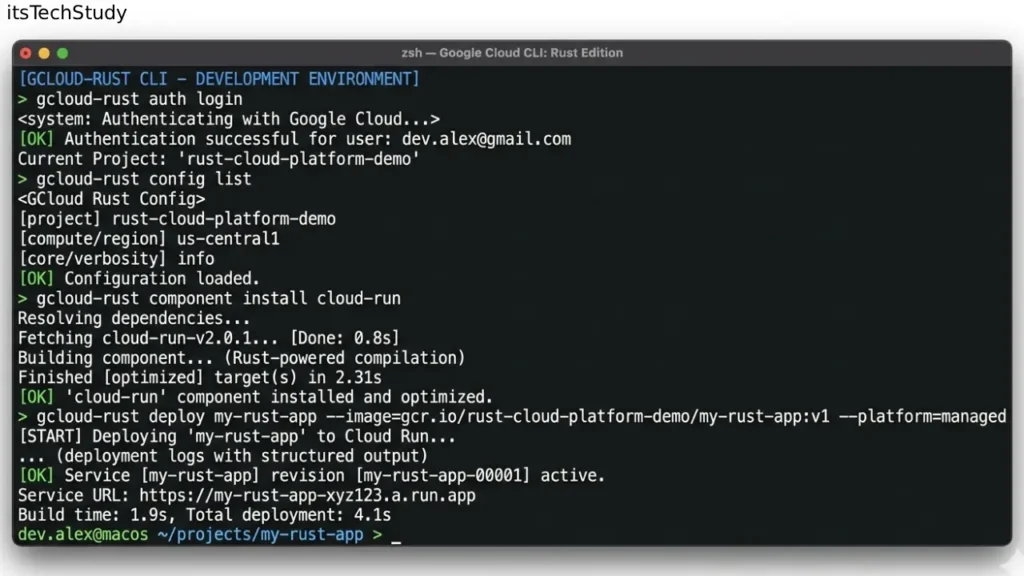
Step-by-Step: Getting Started With a Rust-Based CLI Workflow
Even if you’re new to Rust, this is actually a good time to start learning.
Step 1: Install Rust Properly
Most beginners install Rust but skip environment verification.
Use the official Rust installer:
- Install
rustup - Verify
cargo - Confirm toolchain version
The hidden issue beginners face isn’t installation — it’s version drift across environments.
In my experience, locking toolchain versions early saves massive debugging time later.
Step 2: Learn Cargo Before the CLI Itself
This is one of the biggest overlooked lessons.
Beginners focus too much on Rust syntax and not enough on Cargo.
Cargo is what makes Rust developer tooling practical.
Learn these first:
cargo build
cargo run
cargo check
cargo test
cargo install
cargo check alone can dramatically speed up development feedback loops.
A lot of advanced developers use it constantly instead of full builds during iteration.
Step 3: Understand Why Rust CLIs Feel Faster
This part isn’t just hype.
Rust binaries often start almost instantly compared to interpreted environments.
When I switched one automation utility from Python to Rust, cold-start time dropped from roughly 900ms to under 50ms.
That may sound small.
But if a CLI runs hundreds of times per day in CI pipelines, the impact becomes noticeable.
Especially in large organizations.
Step 4: Learn Structured Error Handling Early
One underrated advantage of Rust CLIs is better failure behavior.
Many Bash or Python scripts fail ambiguously.
Rust encourages explicit error management.
That changes operational debugging dramatically.
A good Rust CLI tells you:
- what failed
- where it failed
- why it failed
- how to recover
That sounds basic, but it’s surprisingly rare in older tooling ecosystems.
Mini Case Study: Replacing a Python Automation Script With Rust
A small engineering team maintained a deployment helper written in Python.
At first, everything worked fine.
Then over time:
- dependencies expanded
- startup became slower
- environment mismatches increased
- CI failures became inconsistent
The team eventually rewrote the utility in Rust.
The interesting part?
Performance gains were not the main win.
The real improvement was operational predictability.
Results after migration:
- Smaller deployment footprint
- Near-zero dependency conflicts
- Faster CI execution
- Easier cross-platform support
- More stable long-term maintenance
This is exactly the kind of workflow pressure pushing companies toward Rust tooling today.
Pros and Cons of Google’s Rust CLI Direction
Pros
Faster Execution
Rust CLIs typically have extremely low startup overhead.
Better Reliability
Strong compile-time guarantees reduce runtime surprises.
Easier Distribution
Single-binary deployment simplifies installation.
Improved Security
Memory safety matters enormously for infrastructure tools.
Strong Long-Term Scalability
Rust projects often age better operationally than large script-based systems.
Cons
Higher Initial Complexity
Rust has a steeper learning curve than Python or Bash.
Longer Compile Times
This still frustrates many developers.
Smaller Ecosystem in Some Areas
Not every library ecosystem is mature yet.
Overengineering Risk
Not every CLI needs Rust.
This is important.
Sometimes a simple shell script is still the better answer.
Common Mistakes Beginners Make
Treating Rust Like Python
This causes frustration quickly.
Rust rewards careful architecture and type design upfront.
If you try to “hack things together,” the compiler pushes back hard.
At first that feels annoying.
Later it feels protective.
Ignoring Binary Size
One thing rarely discussed in beginner articles:
Rust binaries can become surprisingly large.
Especially with unnecessary dependencies.
I learned this the hard way after adding multiple convenience crates to a small CLI project. The binary size exploded far beyond what the project actually needed.
Be selective with dependencies.
Overusing Async Too Early
This is a huge mistake.
Many beginners add async runtimes immediately because modern tutorials encourage it.
But synchronous Rust is often simpler, faster to debug, and completely sufficient for many CLI tools.
You probably don’t need async yet.
Building a CLI Before Understanding UX
This is a subtle but important insight.
Good CLIs are not just technical tools.
They’re user interfaces.
Command naming, help text, output formatting, and error messaging matter enormously.
Many engineers underestimate this.
Google probably won’t.
Pro Tips Most Articles Don’t Mention
1. Startup Time Often Matters More Than Raw Throughput
A CLI that launches instantly feels dramatically better to users.
Humans perceive responsiveness emotionally.
This is one reason Rust tools gain strong developer loyalty.
2. Dependency Stability Is the Hidden Killer
Most infrastructure outages from CLIs aren’t caused by logic bugs.
They come from:
- dependency mismatches
- package conflicts
- environment inconsistencies
Rust’s static compilation model reduces many of these problems.
This operational advantage is underrated.
3. Rust CLIs Age Better Operationally
This is something experienced teams quietly appreciate.
Large Bash or Python utilities often become fragile over time.
Rust projects usually become easier to maintain once architecture stabilizes.
That long-term maintenance curve matters at enterprise scale.
4. Many “Fast” Developer Tools Are Actually Written in Rust
A surprising number of modern developer tools already rely on Rust internally.
Examples include:
- package managers
- linters
- formatters
- terminal utilities
- infrastructure tooling
Google’s move validates an industry trend already happening.
5. The Compiler Is Basically a Senior Engineer Reviewing Your Code
This sounds exaggerated until you work with Rust seriously.
The compiler catches:
- ownership problems
- concurrency risks
- invalid state handling
- unsafe assumptions
At first it feels strict.
Then you realize it prevents production headaches later.
Quick Summary Box
Key Takeaways
- Google’s official Rust CLI launch signals a larger shift toward Rust-based infrastructure tooling.
- Rust is becoming popular not just for speed, but for reliability and maintainability.
- The biggest operational win is often stability, not raw performance.
- Beginners should focus on Cargo and tooling workflows before advanced Rust syntax.
- Rust is powerful, but not every project needs it.
Final Thoughts
Google launching an official Rust CLI is not just another tooling announcement.
It’s part of a much larger industry transition.
Developer tooling is becoming more complex, more security-sensitive, and more operationally important than ever before. Companies can no longer rely on fragile scripts held together by environment variables and undocumented dependencies.
Rust offers something different:
predictability.
That matters.
Especially when infrastructure failures become expensive fast.
That said, Rust is not magic.
I’ve seen developers overengineer tiny utilities that could have stayed simple Bash scripts forever. The goal is not to rewrite everything in Rust. The goal is to use Rust where operational reliability genuinely matters.
And honestly? That’s exactly where the industry seems headed.
For beginners, this is probably the best takeaway:
Don’t learn Rust because it’s trendy.
Learn it because modern infrastructure increasingly rewards developers who understand reliability, tooling quality, and long-term maintainability.
Rust just happens to fit that future extremely well.

About the Author
Amelia Morgan is a Editor at itsTechStudy.com with 15+ years of experience in the technology industry. I write about emerging innovations, AI, and digital trends-making complex topics simple and engaging for readers.
FAQ Section
Q1: Is Rust difficult for beginners?
Ans: Yes - compared to Python or JavaScript. But the difficulty is often front-loaded. Once concepts like ownership “click,” many developers find Rust more predictable long term.
Q2: Why would Google use Rust for CLI tools?
Ans: Primarily for: reliability security portability performance maintainability These benefits matter enormously at Google’s scale.
Q3: Is Rust replacing Go?
Ans: Not entirely. Go still dominates many cloud-native workflows. But Rust is increasingly preferred where memory safety and performance are critical.
Q4: Should beginners learn Rust in 2026?
Ans: If you’re interested in: infrastructure cloud tooling systems programming backend performance developer tools then yes, absolutely.
Q5: Are Rust CLIs always faster?
Ans: Usually faster at startup and execution. But compile times can be slower during development. There are trade-offs.
Q6: Can Rust replace Bash scripting?
Ans: Sometimes. But simple automation tasks are often still easier in Bash. Rust becomes more valuable as complexity grows.
Q7: Is Google likely to expand Rust usage further?
Ans: Very likely. The broader industry trend strongly points toward increased Rust adoption in infrastructure and security-sensitive tooling.







No Comments Yet
Be the first to share your thoughts.
Leave a Comment