

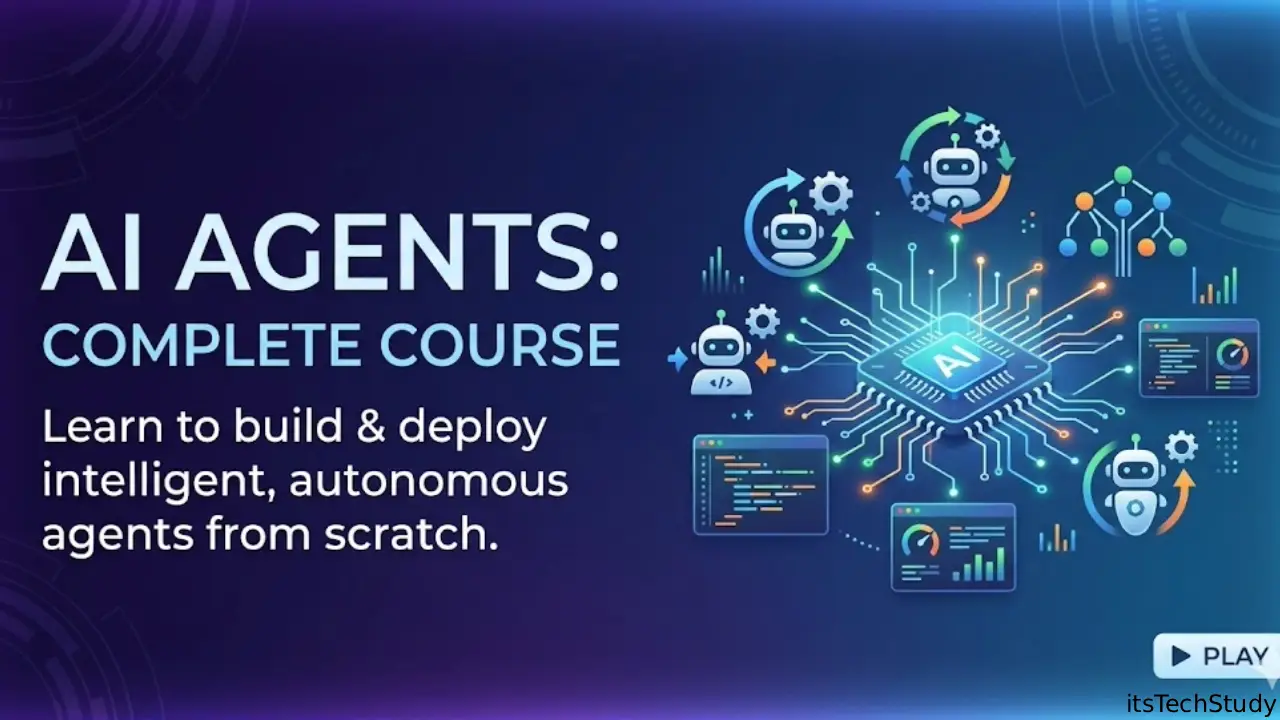
Artificial Intelligence has gone through several waves.
First, we had chatbots that could answer questions. Then came large language models that could write code, create content, and assist with research. Now we’re entering the age of AI agents.
And if you’re a beginner, this is probably where things start feeling confusing.
Everyone is talking about AI agents. Every week, a new framework appears. Social media is full of people claiming they’ve built agents that replace entire teams.
Meanwhile, many beginners are wondering:
“What exactly is an AI agent?”
“How is it different from ChatGPT?”
“Do I need to learn coding?”
“Where do I even start?”
A few years ago, most automation required complex programming, APIs, and infrastructure. Today, someone with basic technical knowledge can build useful AI agents in days instead of months.
That’s why learning AI agents right now matters.
Businesses are actively exploring agent-based workflows, startups are building agent platforms, and developers are experimenting with autonomous systems that can perform multi-step tasks.
The opportunity is real.
But the hype is also real.
This guide will help you separate practical knowledge from marketing noise.
What Is an AI Agent?
At its simplest:
An AI agent is an AI system that can observe, think, decide, and act toward a goal.
Unlike a normal chatbot that only responds to prompts, an AI agent can:
- Break tasks into steps
- Use tools
- Gather information
- Make decisions
- Execute actions
- Adjust based on results
Think about the difference:
Traditional AI
User: “Find me cheap flights.”
AI: Provides suggestions.
AI Agent
User: “Find me the cheapest flight under $500 next month and email me the best options.”
Agent:
- Searches flight websites
- Compares prices
- Filters results
- Creates summary
- Sends email
The key difference is action.
Real-World Experience: My First AI Agent Failure
When I first started experimenting with AI agents, I made a mistake that many beginners make.
I tried building a fully autonomous research agent immediately.
The idea sounded amazing:
- Search the web
- Analyze sources
- Create reports
- Make decisions automatically
In practice?
It often got distracted, used unreliable sources, and occasionally produced confident but incorrect conclusions.
The lesson:
The best beginner AI agents are usually small and focused.
A simple customer-support agent or document-analysis agent often delivers more value than an overly ambitious autonomous system.
This is something many tutorials don’t emphasize enough.
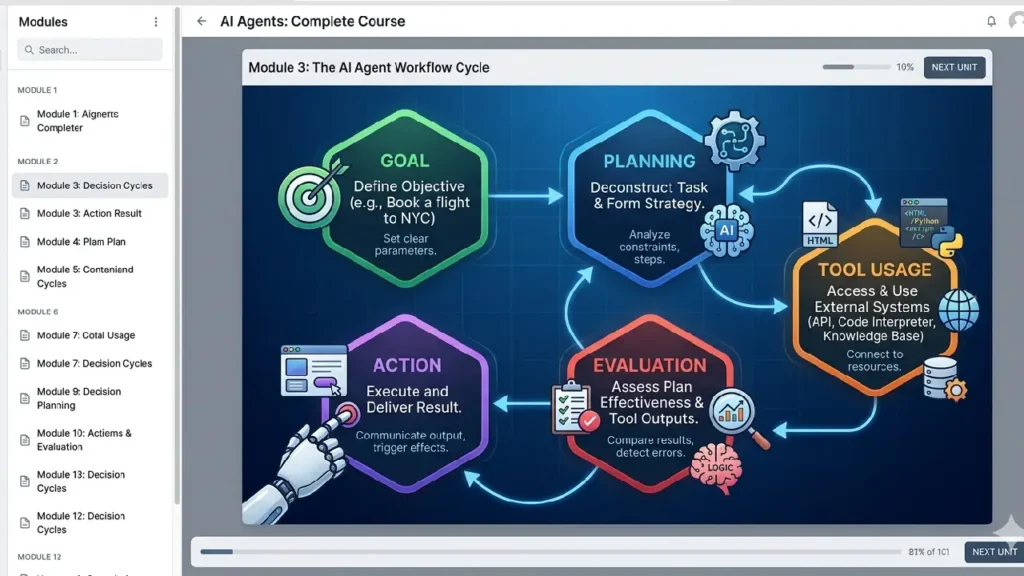
How AI Agents Actually Work
Most AI agents follow a similar cycle.
Step 1: Receive Goal
Example:
“Create a weekly sales report.”
Step 2: Plan
Agent identifies tasks:
- Retrieve sales data
- Analyze performance
- Generate charts
- Write summary
Step 3: Use Tools
The agent may access:
- Databases
- APIs
- Search engines
- Spreadsheets
- Email systems
Step 4: Evaluate Results
The agent checks whether the goal has been achieved.
Step 5: Take Action
Outputs:
- Report
- Dashboard
- Recommendation
Types of AI Agents
| Agent Type | Purpose | Beginner Friendly |
|---|---|---|
| Chat Agents | Conversational assistance | Yes |
| Research Agents | Information gathering | Yes |
| Customer Support Agents | Answer customer questions | Yes |
| Coding Agents | Generate and modify code | Intermediate |
| Workflow Agents | Business process automation | Intermediate |
| Multi-Agent Systems | Multiple agents collaborate | Advanced |
For beginners, research and support agents are usually the easiest starting point.
Complete AI Agent Learning Raoadmap
Phase 1: Understand LLM Fundamentals
Before building agents, understand:
- Prompts
- Context windows
- Tokens
- Hallucinations
- Retrieval techniques
Why?
Because every AI agent is built on top of these foundations.
Without understanding them, debugging becomes extremely difficult.
Recommended Time
1–2 weeks.
Phase 2: Learn Prompt Engineering
Many beginners underestimate this step.
A poorly designed prompt can break an otherwise excellent agent.
Learn:
- System prompts
- Role prompting
- Chain-of-thought concepts
- Structured outputs
- JSON responses
Example
Bad prompt:
“Analyze this document.”
Better prompt:
“Analyze this document and return:
- Key findings
- Risks
- Opportunities
- Summary under 150 words”
Specific instructions produce better agents.
Phase 3: Learn APIs
Most useful agents need external data.
Important concepts:
- REST APIs
- Authentication
- JSON
- API requests
Common beginner projects:
- Weather agent
- News agent
- Stock tracking agent
- Product comparison agent
[Screenshot placeholder: Example API response in JSON format]
Phase 4: Learn Python
Python remains the easiest language for AI agents.
Focus on:
- Variables
- Functions
- Loops
- Lists
- Dictionaries
- API requests
You don’t need advanced computer science initially.
Many successful AI agent builders started with basic Python knowledge.
Phase 5: Learn Agent Frameworks
Popular frameworks include:
LangChain
Pros:
- Large ecosystem
- Many integrations
Cons:
- Can feel complex
CrewAI
Pros:
- Easy multi-agent workflows
- Beginner friendly
Cons:
- Limited flexibility compared to custom systems
AutoGen
Pros:
- Strong agent collaboration
Cons:
- Steeper learning curve
OpenAI Agents SDK
Pros:
- Modern design
- Easier setup
Cons:
- Ecosystem still evolving
Mini Case Study: Customer Support Agent
A small online store receives 50 support emails daily.
Common questions:
- Order status
- Refund policy
- Shipping times
Instead of manually answering every email:
Agent Workflow
- Reads email
- Classifies request
- Searches knowledge base
- Drafts response
- Human reviews before sending
Outcome:
- Faster response times
- Reduced repetitive work
- Improved consistency
Notice something important?
The human is still involved.
That’s usually where practical AI agents work best today.
Pros and Cons of AI Agents
Pros
Increased Productivity
Agents can handle repetitive tasks continuously.
Faster Decision Support
Information gathering becomes quicker.
Scalability
One agent can assist thousands of users.
Cost Reduction
Reduces manual workload.
Cons
Hallucinations
Agents can generate incorrect information.
Tool Failures
External APIs sometimes break.
Security Risks
Poorly designed agents may expose sensitive data.
Oversight Required
Human review remains important.
Common Mistakes Beginners Make
1. Trying to Build Fully Autonomous Agents
This is probably the biggest mistake.
In my experience, semi-autonomous systems outperform fully autonomous ones for most business tasks.
2. Ignoring Error Handling
One API failure can stop the entire workflow.
Always plan for:
- Missing data
- Network issues
- Invalid responses
3. Overusing Frameworks
One mistake I made early on was adding multiple frameworks before understanding the basics.
Simple Python scripts often teach more than complex agent architectures.
4. Not Measuring Performance
Ask:
- Did the task complete?
- Was it accurate?
- How often did it fail?
Without metrics, improvement becomes guesswork.
5. Trusting Agent Outputs Blindly
AI agents should assist decisions.
They shouldn’t automatically make critical decisions without verification.
Pro Tips Most Beginners Don’t Hear
1. Start With Boring Problems
Everyone wants to build autonomous CEOs.
Few people want to automate invoice processing.
Guess which creates value faster?
The boring one.
2. Tool Quality Matters More Than Model Quality
This is rarely discussed.
A powerful model with poor tools performs worse than a decent model with excellent data access.
3. Limit Agent Freedom
Counterintuitive, but true.
The more choices you give an agent, the more mistakes it often makes.
Constraints improve reliability.
4. Most Successful Agents Use Human Checkpoints
Many beginners imagine agents replacing humans.
In reality, successful businesses often use:
AI -> Human Review → Action
Not:
AI -> Action
5. Agent Memory Is Overrated
This may surprise you.
Many practical agents don’t need long-term memory.
Good retrieval systems often outperform complex memory systems.
This is one insight rarely highlighted in mainstream tutorials.
Five Non-Obvious Takeaways
1. Reliability Beats Intelligence
A slightly less capable agent that succeeds 95% of the time is better than a brilliant one that succeeds 70%.
2. Workflow Design Matters More Than Prompts
Many failures originate from poor process design, not poor prompting.
3. Small Context Windows Can Improve Accuracy
Too much information often confuses agents.
4. Most Agent Projects Are Actually Automation Projects
AI is only one component.
Business logic usually matters more.
5. Monitoring Is a Core Feature
Beginners treat monitoring as optional.
Experienced builders treat it as mandatory.
Quick Summary
If you’re starting today:
- Learn AI fundamentals
- Learn prompt engineering
- Learn APIs
- Learn Python
- Build simple agents
- Add tools
- Add automation
- Add monitoring
Don’t start with multi-agent systems.
Start with one useful agent.
Final Thoughts
AI agents are one of the most important shifts happening in technology right now.
But the biggest opportunity isn’t building futuristic autonomous systems.
It’s solving practical problems.
If you’re a beginner, focus on creating one agent that saves time on a real task. Maybe it summarizes reports, organizes emails, or researches information.
Build something useful before building something impressive.
In my experience, that’s where the real learning happens.
The developers who succeed with AI agents aren’t necessarily the ones using the newest framework every week.
They’re the ones who understand workflows, reliability, and user needs.
Start small.
Ship something.
Improve it.
That’s still the fastest path to mastering AI agents.

About the Author
Amelia Morgan is a Editor at itsTechStudy.com with 15+ years of experience in the technology industry. I write about emerging innovations, AI, and digital trends-making complex topics simple and engaging for readers.
FAQ
Q1: Do I need coding skills to learn AI agents?
Ans: Basic Python helps significantly, but many no-code tools exist for beginners.
Q2: How long does it take to learn AI agents?
Ans: Most beginners can build simple agents within 4–8 weeks of consistent practice.
Q3: Which programming language should I learn?
Ans: Python remains the best choice for most AI agent projects.
Q4: Are AI agents replacing jobs?
Ans: They are changing workflows more than replacing entire professions. Human oversight remains valuable in most situations.
Q5: Can I build AI agents for free?
Ans: Yes. Many platforms offer free tiers, though larger projects eventually require paid resources.
Q6: Which framework should beginners start with?
Ans: CrewAI or OpenAI Agents SDK are generally easier starting points than highly complex frameworks.
Q7: What is the best first project?
Ans: A document summarizer, research assistant, or customer-support assistant. These teach core concepts without overwhelming complexity.




No Comments Yet
Be the first to share your thoughts.
Leave a Comment